If you are using Brady Workstation software, you generally do not need to install the printer driver. The exception is that the Data Automation app within Brady Workstation does require the printer driver to be installed. If connecting the printer using an Ethernet connection, it is best to configure the connection before installing the driver: i4311 - Network the Printer Using an Ethernet Cable.
Note: If the driver installer does not launch, make sure your Windows account has sufficient administrative rights: Microsoft UAC - Why Do I Need to Run Brady Driver and Software Installs logged in with Admin credentials and using "Run As Administrator". If the drive does not launch, reach out to your IT admin to assist with installing the driver manually: Access the Inf File to Manually Install Brady Printer Drivers.
Important: Do not connect the printer until prompted to do so.
- Download the driver from BradyID.
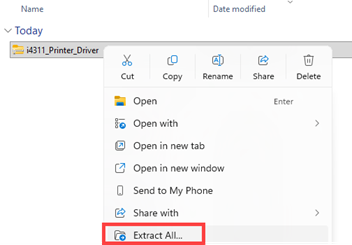
- Right-click Extract All the driver folder.
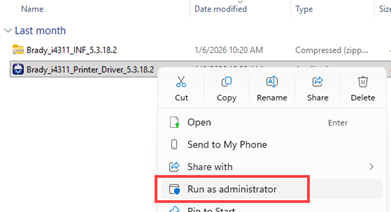
- Right-click the Driver executable file and click Run as Administrator.
Important: Do not plug in the USB cable into the printer until prompted on the screen.
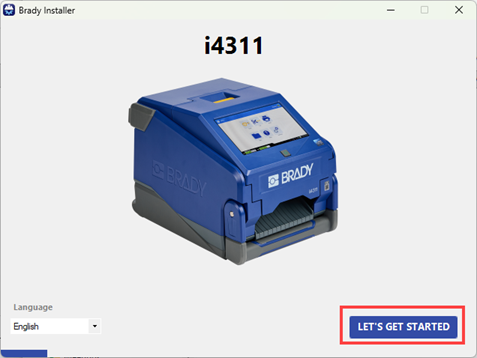
- Click Let's Get Started.
- Click Next.
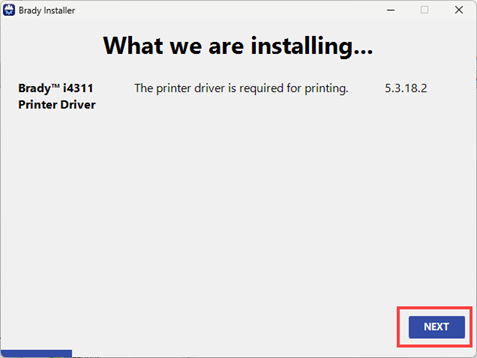
Wait for the driver to install.
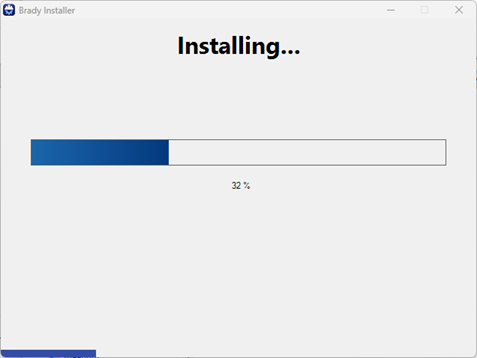
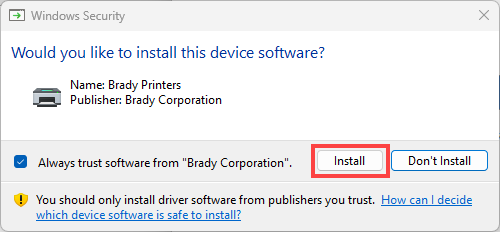
- Click Install on the pop-up.
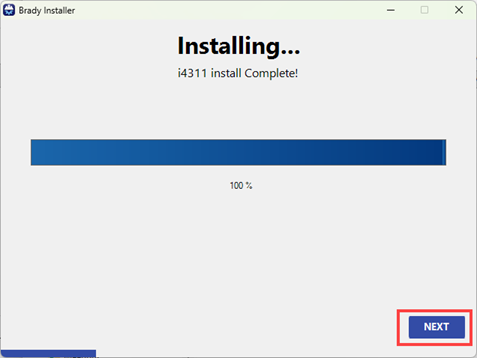
- Click Next.
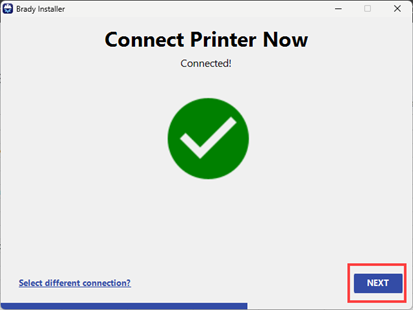
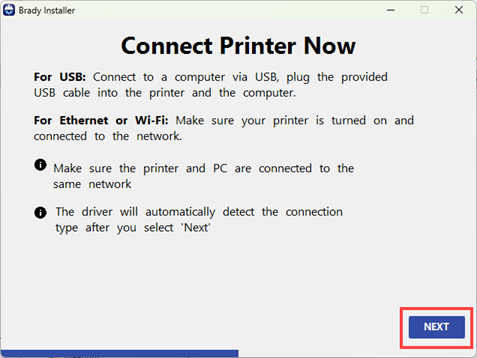
- Connect the Printer and click Next.
USB: Connect the USB cable to the printer.
-
- Tap Next. Proceed to the next step.
Ethernet or Wi-Fi: Verify the printer and computer are on the same network.
-
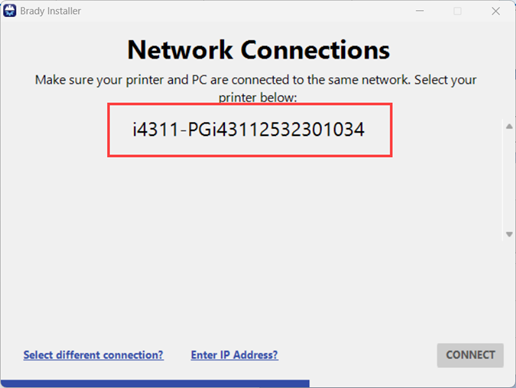
- Tap the Printer Serial Number, if it displays.
If the serial number does not display, verify the printer and computer are on the same network.
If the IP Address is known, tap Enter IP Address? and enter the IP address and click Connect.
If the printer should not be Networked and connected via USB, click Select different connection?.
-
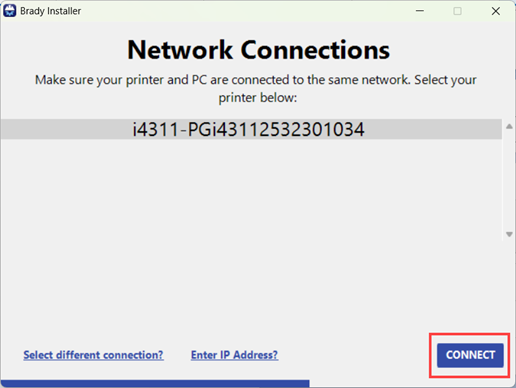
- Tap Connect.
-
- It may take a few minutes for the printer to connect.
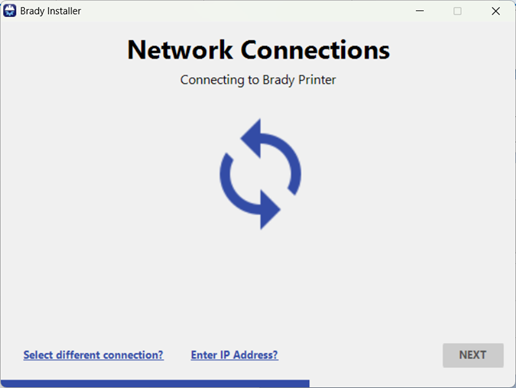
-
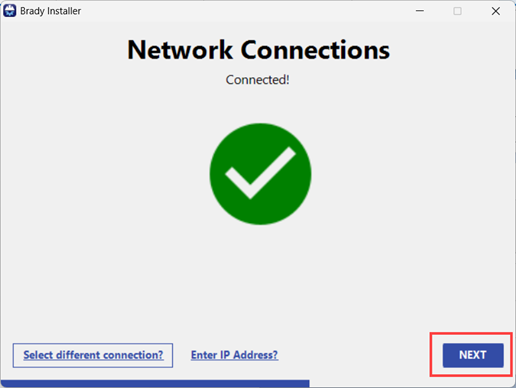
- Tap Next.
If any error messages display, check the connection on the printer and computer and try again.
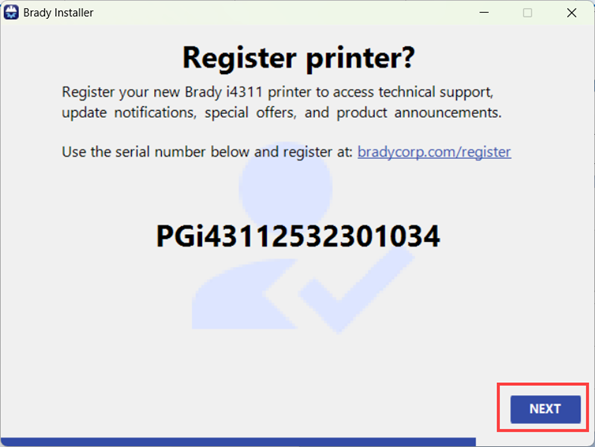
- Click the link to register the printer and click Next.
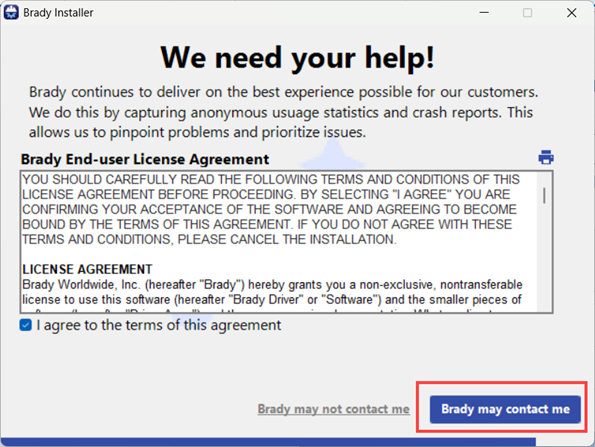
- Click the checkbox to agree to the terms.
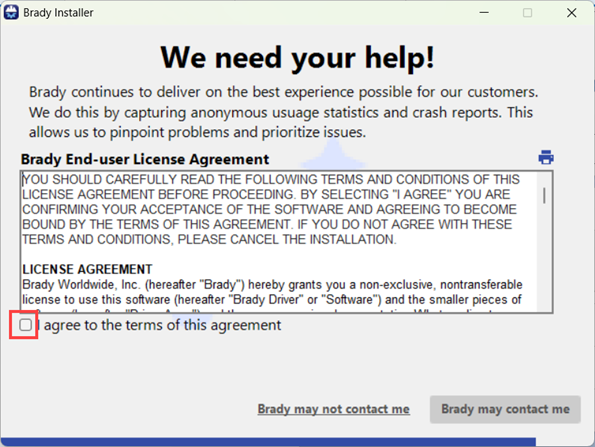
- Click Brady may contact me.
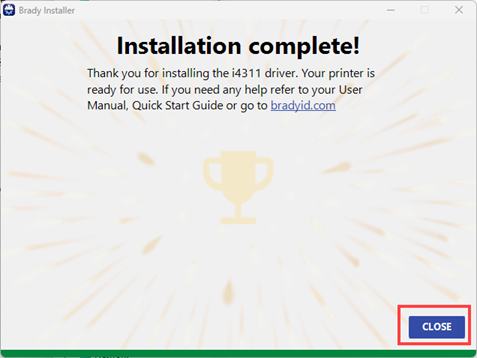
- Click Close.