The i4311 supports ZPL scripting with some basic commands being that can be changed directly on the printer.
Note: ZPL Scripting is beyond the scope of this article, the printer's user manual, and the Brady Tech Support team. Brady will provide support for establishing communication between printers and ZPL scripts, please see ZPL's documentation for any programming questions.
Accessing the ZPL Settings
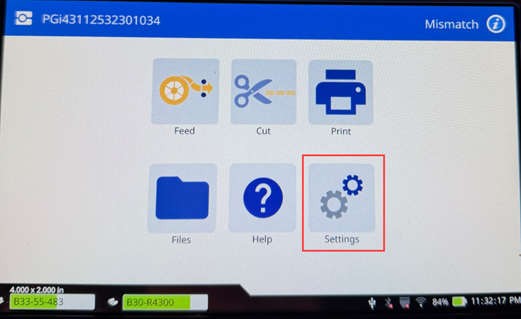
- Open the settings menu.
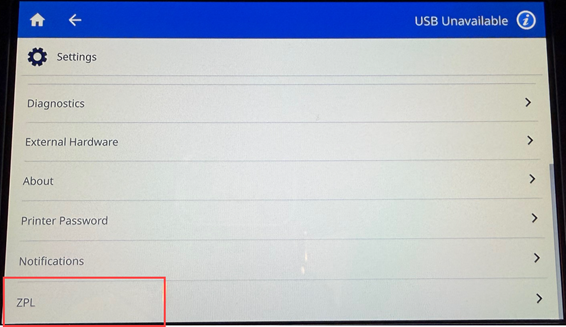
- Scroll down to ZPL on the bottom of the menu and select it.
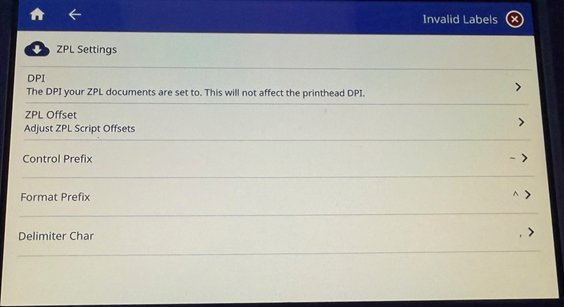
- Select the settings to be changed.
Related Information


