Important: Do not remove power from the Brady Script Emulator for ZPL during the upgrade.
Upgrading Over the Internet
- Confirm the following:
- Make sure the computer or phone and Brady Script Emulator for ZPL are on the same network.
- Make sure the computer or phone can access the internet.
- Open the embedded web server: Brady Script Emulator for ZPL - Embedded Web Server.
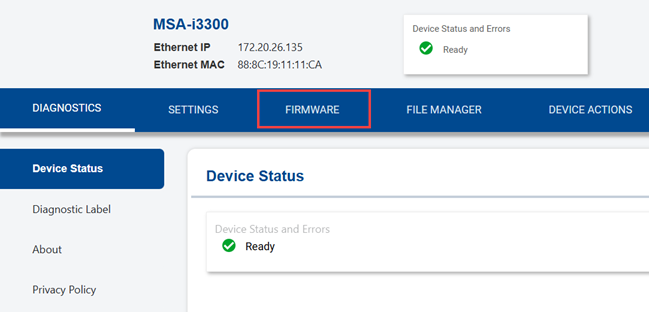
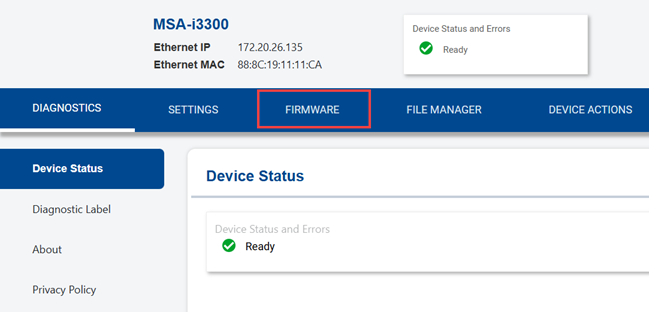
- Click the Firmware tab.
A yellow arrow on the tab indicates that an update is available, but it may take a short time for this indicator to appear. Clicking the tab forces the check for updates.
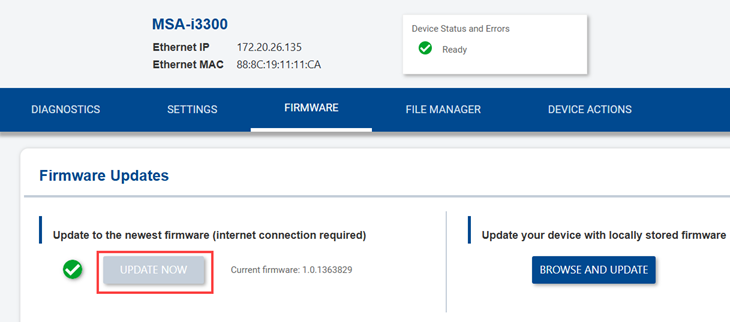
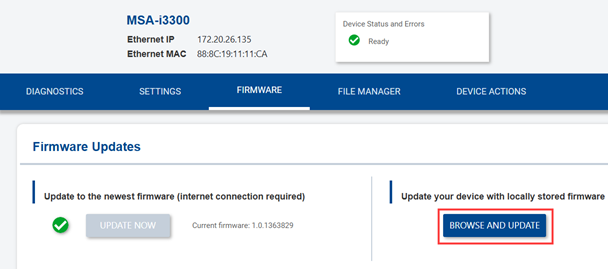
- Click Update Now to update the firmware. Proceed to the next step. If Update Now is grayed out, the emulator has the most recent version of the firmware.
If there is no internet connection, proceed to the Upgrade with a Downloaded File section below.
- Click OK on the message.
- After the upgrade completes, refresh the web page.
Upgrade with a Downloaded File
If the computer does not have internet access, download the upgrade file from a computer with internet access and transfer the file via a USB driver to the Brady Script Emulator for ZPL.
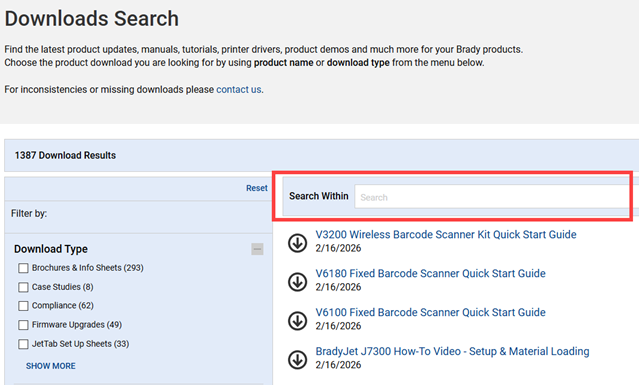
- Navigate to the Download Search site on BradyID.
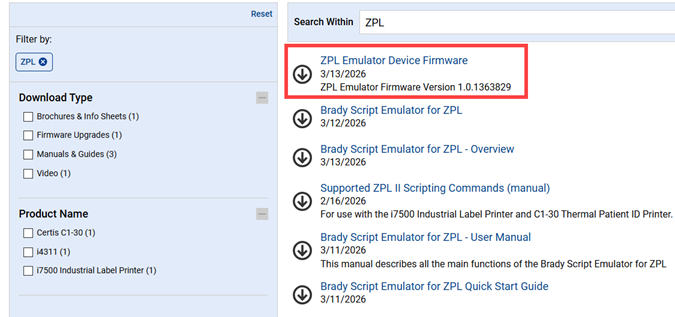
- Enter ZPL in the search bar and press enter on the keyboard.
- Click the ZPL Emulator Device Firmware link.
- Download the file.
- Save the file to a USB drive.
- Complete the upgrade either directly on the emulator or via a network computer.
On the Emulator:
-
- Plug the USB drive into the USB-A port on the emulator.
- Wait 5 minutes. DO NOT REMOVE POWER. The emulator will reboot during this process.
- Remove the USB drive.
Via Computer:
-
- Connect the USB driver to the USB port on a computer on the same network as the Brady Script Emulator for ZPL.
- Open the embedded web server: Brady Script Emulator for ZPL - Embedded Web Server.
- Click the Firmware tab.
-
- Click Browse and Update.
-
- Navigate to the USB drive, select the firmware file and click Open.


