This plastic guide is required when using a Peel Configuration printer for internal label rewind mode operation. The guide curves printed labels back at a gentle angle for attachment to the internal rewind spindle.
- With the Peel Door closed, ensure there is NO label material captured behind the peel door.
- Orient the curved rewind guide in front of the closed peel door with the narrower tapered end facing outward towards the open side of the printer and the wider end towards the inner wall of the printer.
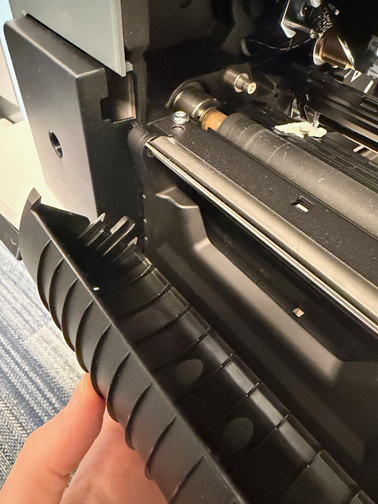
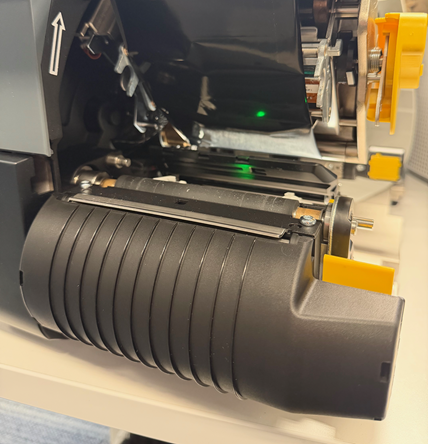
- Locate and align the three tabs on each end of the guide to the corresponding recessed areas on the front of the peel door and snap tabs into place.
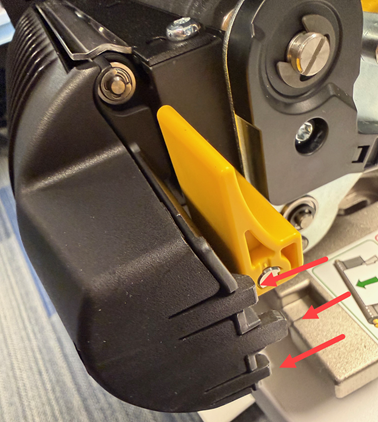
- To remove the guide, flex the tabs outward and remove guide.


