This plate comes installed on the Peel configuration printer and is used to sharply bend back the label liner to induce a partial peel-off in Peel Mode operation (approved auto-present materials required). The plate can also double as a smooth non-serrated tear plate for tearing off thin paper liners (but not recommended for tearing thick liners or thick materials).
Purchase the smooth edge peel bar on BradyID.
Required Tools: T20 wrench
- Disengage the printhead locking lever to lift the printhead.
- Open the peel door.
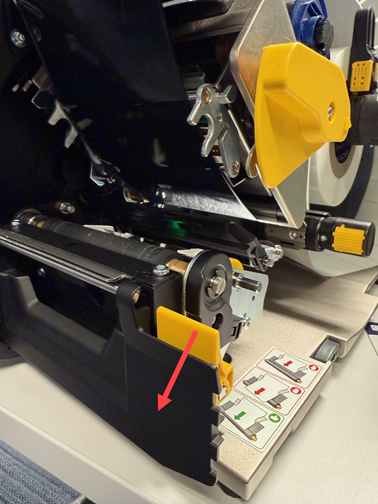
- Loosen, but do not remove, the two screws then lift up and slide out the serrated tear plate.
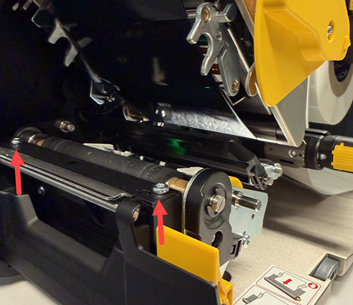
- Insert the peel bar plate so that it rests on the locator pins and tighten the screws.
- Close the printhead locking lever.
- Close the cover and plug in the power cord.


