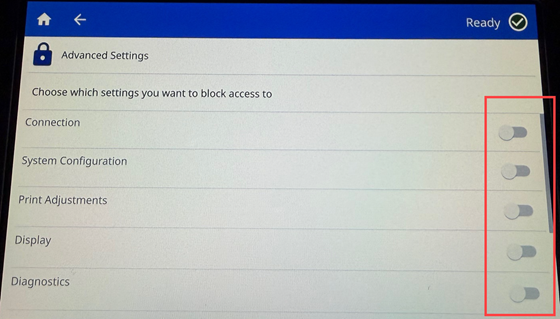
Setting a password allows the user to block access to changing settings on the printer. If no options are selected under the password Advanced Settings, the Settings menu will be blocked out.
Settings available to block access to:
- Connection
- System Configuration
- Print Adjustments
- Display
- Diagnostics
- External Hardware
- About
- Notifications
- ZPL
Password Options
Set a Password
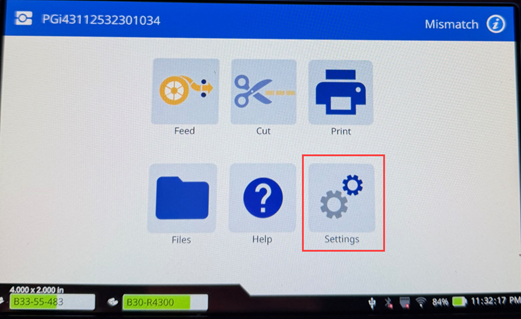
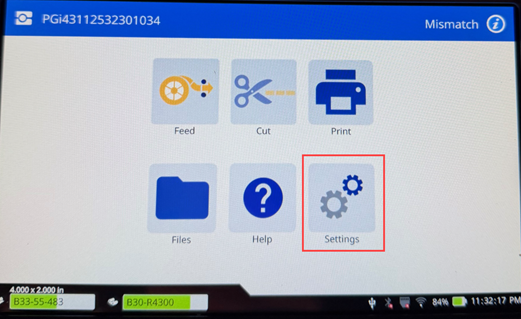
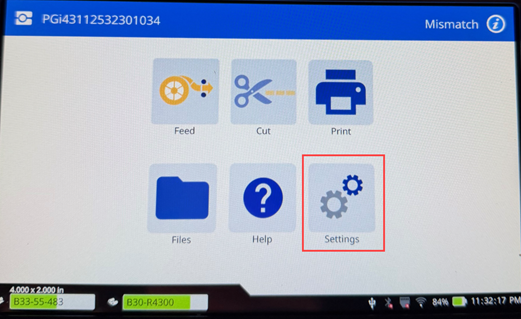
- Tap Settings.
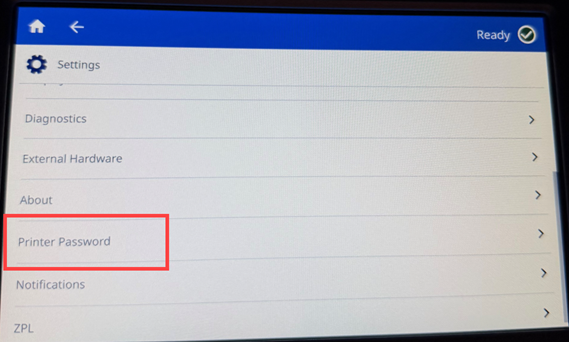
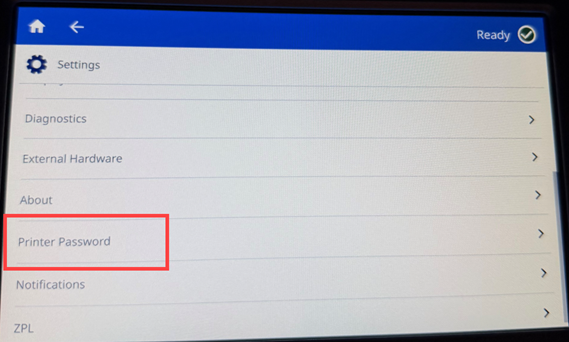
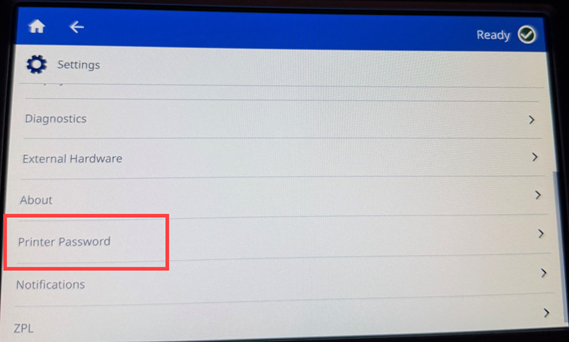
- Tap Printer Password.
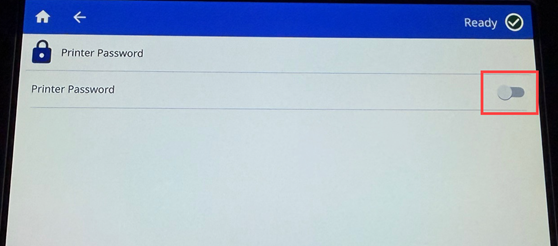
- If Printer Password is disabled, tap the switch to enable it.
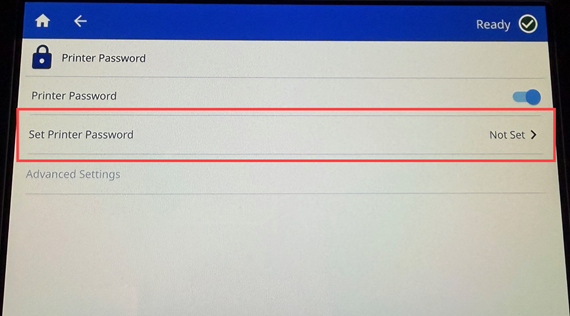
- Tap Set Printer Password.
- Enter the password and press enter.
-
- The password must be between 8 and 12 characters.
- At least one lower or upper case letter.
- At least one number.
- The password characteristics will turn green when the password meets the criteria.
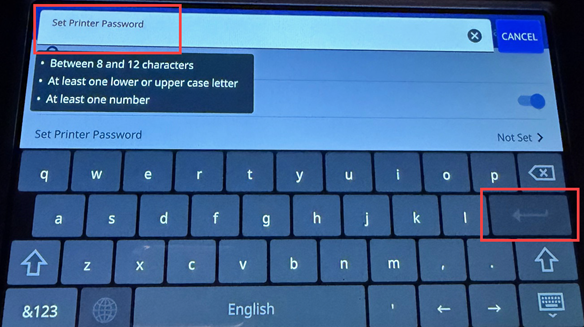
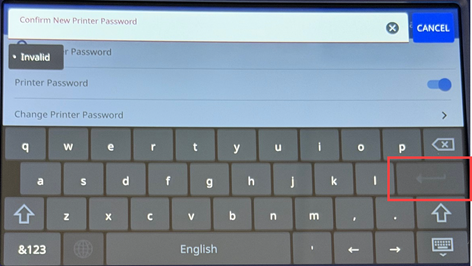
- Re-enter the password and tap the enter key.
- Tap Advanced Settings.
- Tap the switch for each setting to require a password.
Change an Existing Password
- Tap Settings.
- Tap Printer Password.
- Tap the switch to change enabled password.
- Tap Set Printer Password.
- Enter the existing password and tap the enter key on the keyboard on the screen.
- Enter a new password.
-
- The password must be between 8 and 12 characters.
- At least one lower or upper case letter.
- At least one number.
- The password characteristics will turn green when the password meets the criteria.
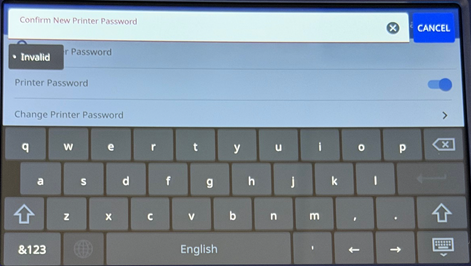
- Enter the new password a second time to confirm it.
- Tap the enter key.
Re-Set a Forgotten Password
- Tap Settings.
- Tap Printer Password.
- Tap Forgot Password.
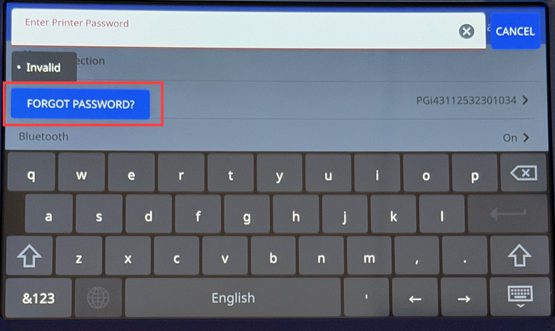
- Call Technical Support: Global Brady Technical Support Contact Information.
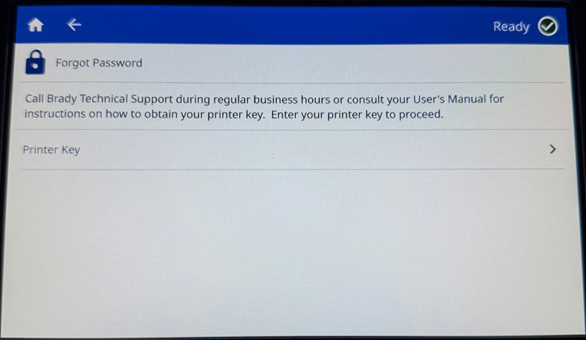
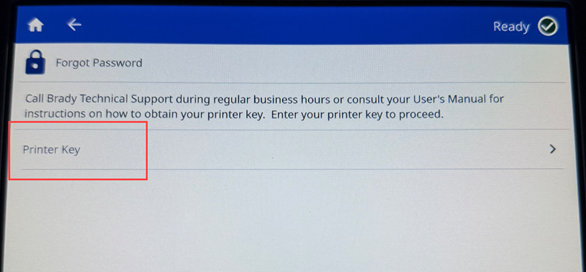
- Tap Printer Key. Technical Support will provide the Printer Key.
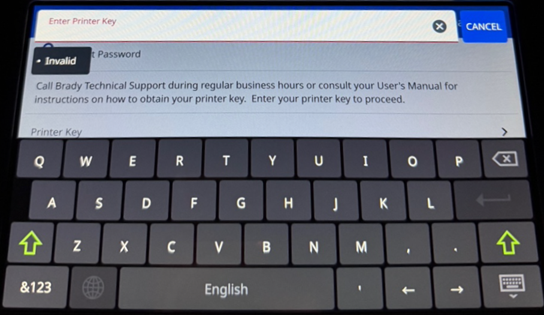
- Enter in the Printer Key provided from Technical Support and press Enter.
- Tap Set Printer Password to change the password.
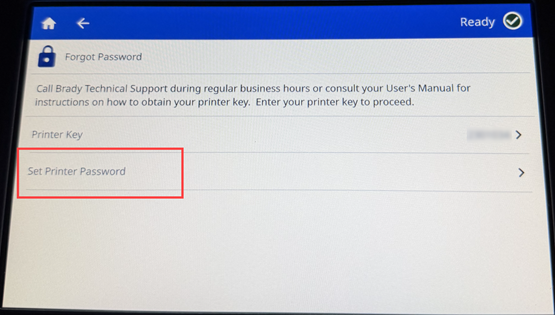
- Enter a new password and press Enter.
-
- The password must be between 8 and 12 characters.
- At least one lower or upper case letter.
- At least one number.
- The password characteristics will turn green when the password meets the criteria.
- Enter the password a second time to confirm it and press Enter.


