Body |
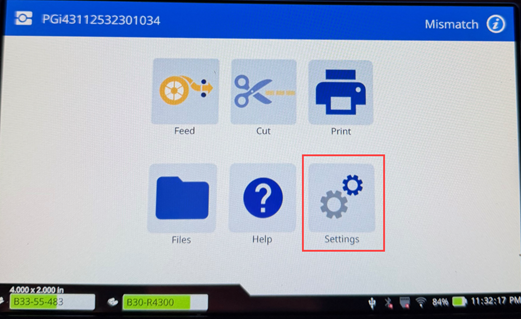
- Tap Settings.
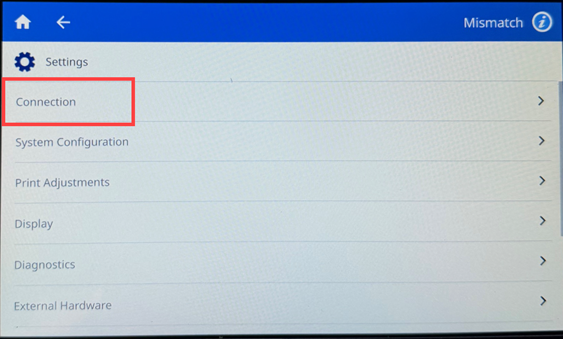
- Tap Connection.
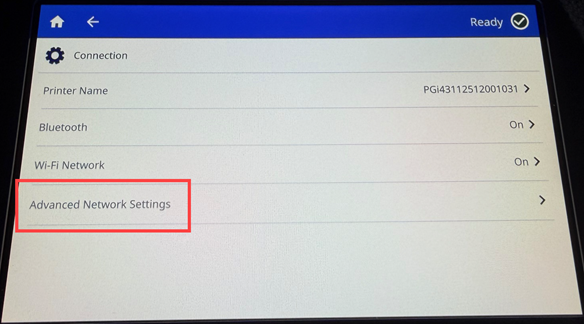
- Tap Advanced Network Settings.
- Depending on the printer's network setup, choose either Ethernet or Wi-Fi and look for the IP address.
If you need to setup a static connection type, contact your IT department with the Subnet Mask, Default Gateway, MAC Address, Hostname, and Raw Port.
Related Information
|
|
|---|

