Connect to a Wi-Fi network either by searching for and selecting a network or by manually entering the network settings. Once connected, the printer can communicate with devices on that network.
Note: Wi-Fi capability is not available on all printers or in all countries.
IMPORTANT! Before configuring the Wi-Fi connection on an enterprise network, be sure the printer is set to the current date and time. The printer may not be able to establish the connection if the date and time is not current.
The Wi-Fi network (SSID) cannot have spaces or special characters, including !@#$%^^, etc.
Search to Connect
To connect to a Wi-Fi wireless network, we need to make sure the printer is on the same network as the computer or mobile device you are trying to print from:
- Turn the printer on.
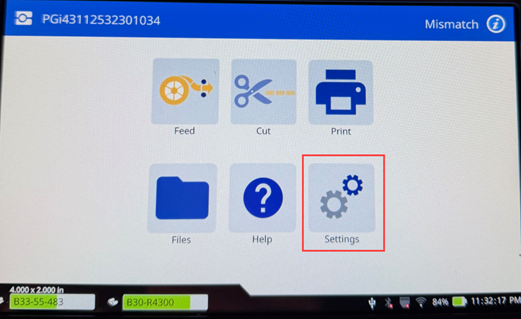
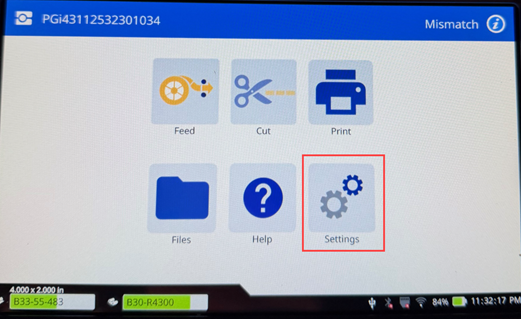
- Tap Settings from the main menu of the printer.
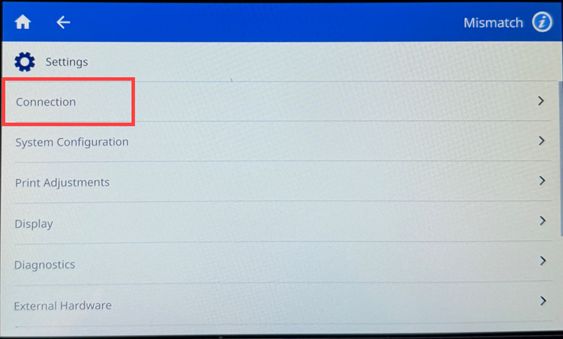
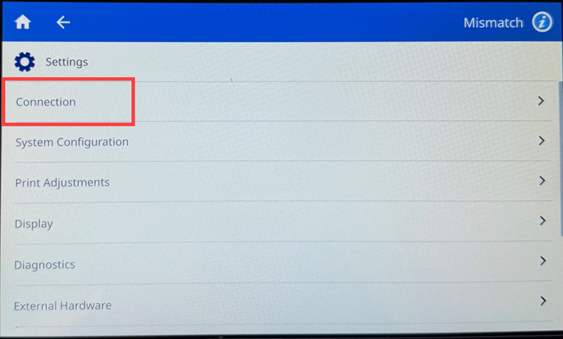
- On the settings screen, select Connection.
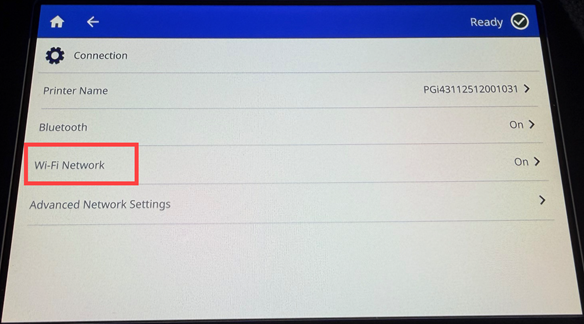
- Tap Wi-Fi Network.
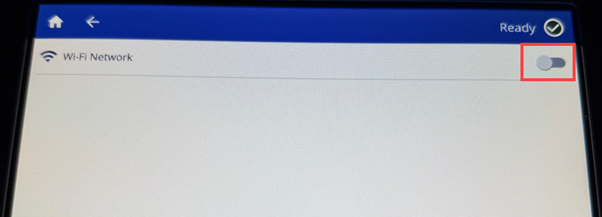
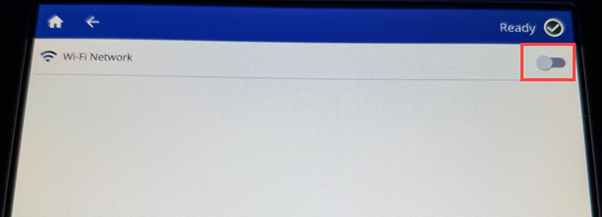
- Tap the switch to enable Wi-Fi.
If the switch is gray, it is off. If the switch is blue, it is on.
- Choose a network from the list that matches the network your device is connected to.
Note: If you don't see your network listed, contact your Network IT Administrator. Your network could be hidden for security purposes.
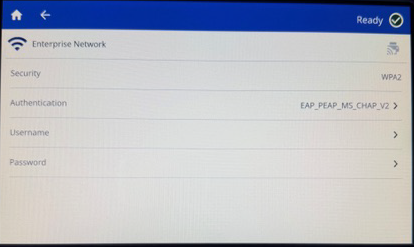
- To enter a Personal or Enterprise Network, click the "Other" option at the bottom of the Wi-Fi list.
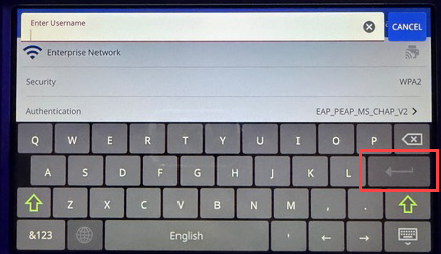
- Enter in the Username and Password if prompted.
Tap the enter button to save the option.
Manually Enter Wi-Fi Settings
Use this method for networks that are hidden.
To connect to a Wi-Fi wireless network:
- Make sure the printer is turned on.
- Tap Settings.
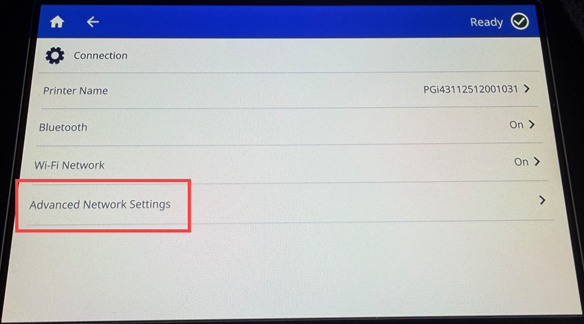
- Tap Connection.
- Tap Advanced Network Settings.
- Select Wi-Fi.
- Tap IP Settings and then tap one of the following.
- DHCP: DHCP addressing dynamic and the system uses a DNS server to obtain the printer IP address.
- Static: Select static addressing to manually enter the printer's IP address.
Note: If you are unsure of which one to select, contact your Network IT Administrator.
- Tap the back arrow to return to the Wi-Fi screen.
- Fill in the remaining available settings with help from your Network Administrator.
- Tap home once finished.


