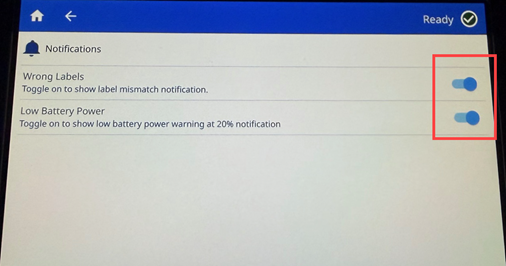
Currently with firmware version 1.0.1330002, there are two notifications that can be turned on or off:
- Wrong Labels
- Low Battery Power
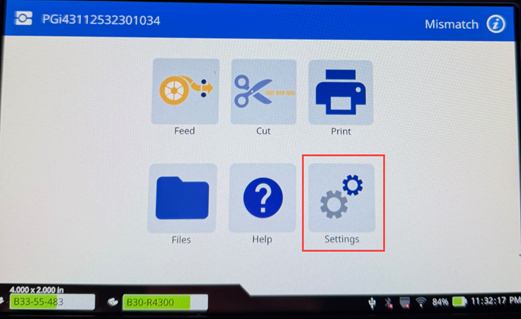
- From the home screen, tap Settings.
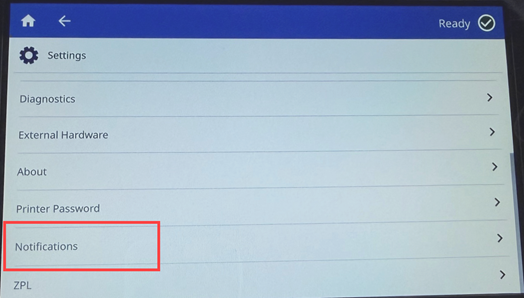
- Scroll to the bottom of the list and tap Notifications.
- Tap the switch next to your desired selection(s) to enable or disable.
Note: If the switch is gray, the notification is off. If the switch is blue, the notification will display.