Loading Supply Error on the i3300 / S3100 / S3000 / i5300 Model Printer
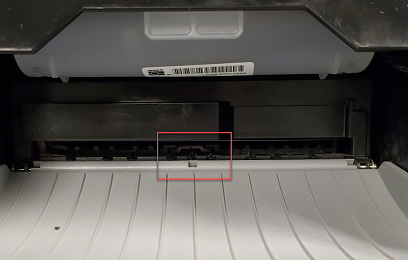
Loading Supply Error indicates adhesive buildup on the front edge sensors.
Resolution
The front edge sensors can be cleaned with cleaning swabs (PCK-6) from BradyID.
- Open the printer cover to access the cutter
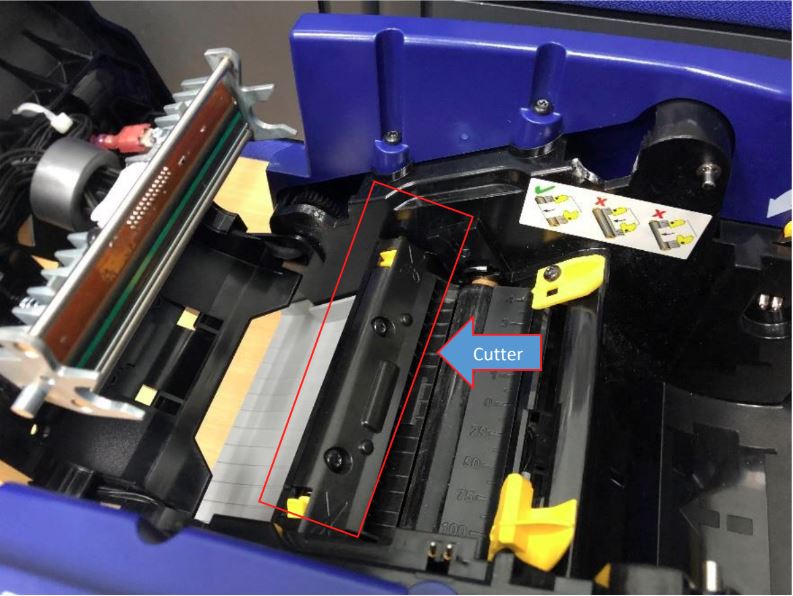
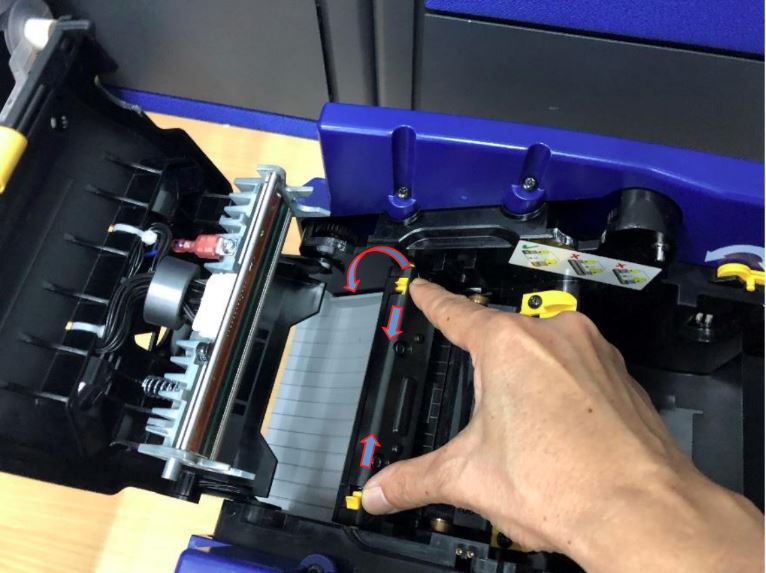
- Pinch levers shown in the below picture and press the cutter downward
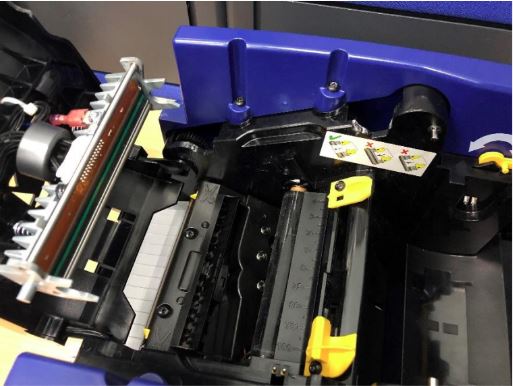
- Clean the leading edge sensor outlined in the picture below with a lint-free swab with isopropyl alcohol.
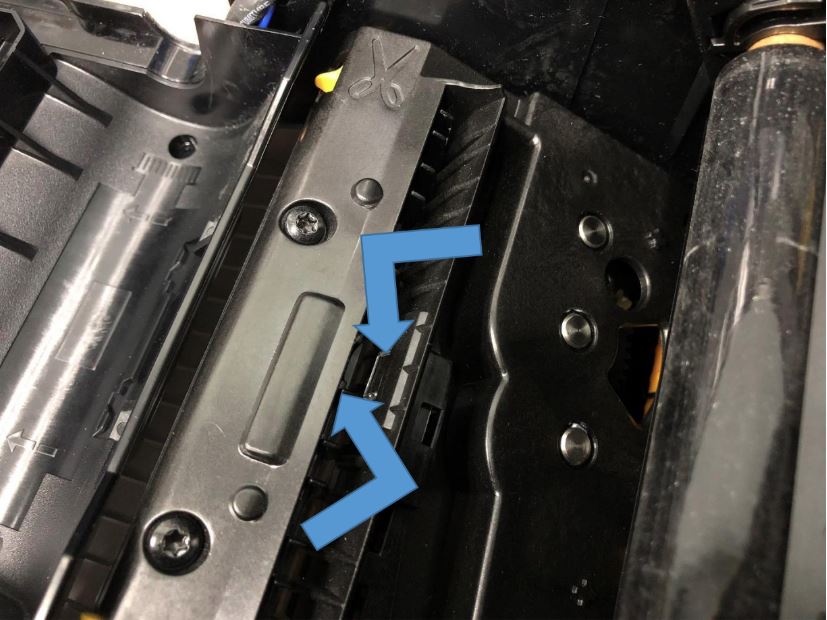
- Restore cutter back to original location. The cutter is properly latched with two audible clicking sounds
- Clean the front edge sensor.
Additional Troubleshooting
- The media is not loaded correctly. Verify the front edge is placed in the middle of the platen roller and the yellow media guides are against the edge of the label. In some cases, loading the material just past the middle of the roller resolves the error.
- Try loading a different part number or lot number to verify if this is isolated to one roll.
- Load a material that uses a different sensor, such as continuous, notched or gapped media. If the printer works with some media types and not others, contact Tech Support.
- Upgrade to the latest firmware:
If these steps do not resolve, then contact Brady Technical Support.


