Body | If when printing to the Wraptor printer from your PC you are able to send some print jobs but others do not successfully transfer, most likely a driver setting needs to be changed on your PC.
1. Go to Control Panel>Devices and Printers.
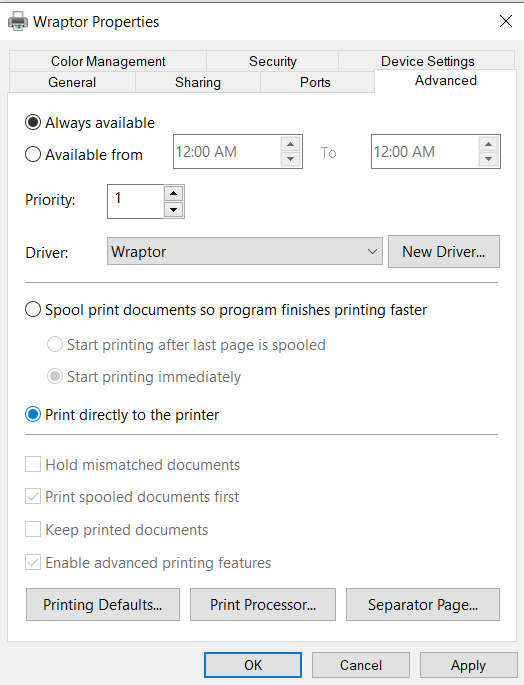
2. Right-click on the driver and choose "Printing Properties" if on Windows 7/8/10 then choose the "Advanced" tab.
3. Then select the radio button to the left of "Print directly to the printer", click "Apply" and then "Ok" and attempt to print from the PC again.
 |
|
|---|

