Issue
I am using the Wraptor and I get a "check labels" error message.
Cause
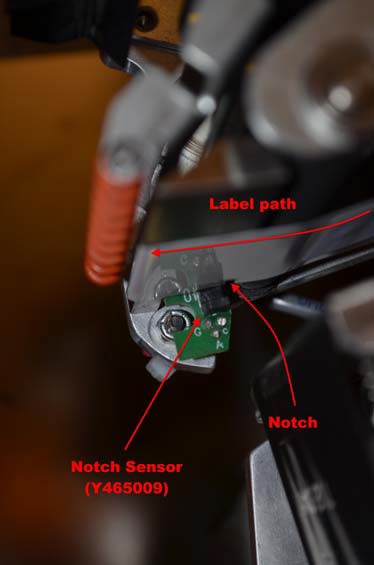
This error means the label sensor can not detect the notch of the labels when it's feeding.
Troubleshooting
First, make sure the Wraptor is in LOAD LABELS mode on the setup tab for the following troubleshooting.
-
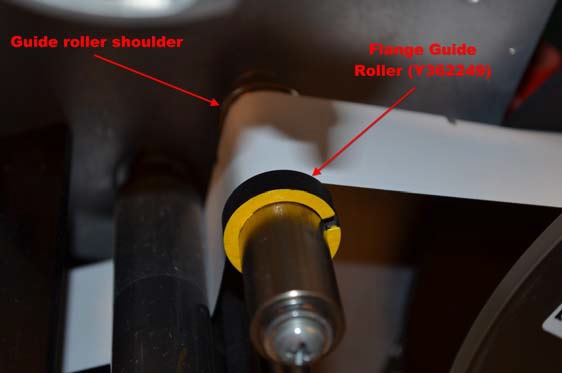
When you are facing the front of the Wraptor, make sure the notch in the label liner is as far left as they will go. If the labels are offset to the right, even 1/4 of an inch, this could cause the notch to miss the sensor. There are also two material guide rings that should also be resting lightly on the right hand side of the material.
-
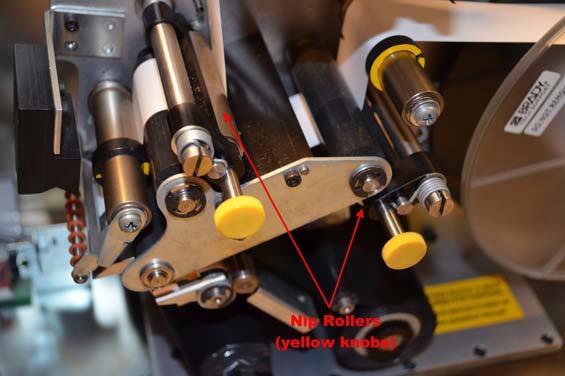
Make sure all the rollers are locked down. There are 2 silver rollers that lock into position. When these rollers rest against a rubber black roller they are locked.
-
If you look towards the bottom front of the print mechanism, where the labels feeds out when you press FEED LABEL, you should see a small green circuit board with a black box on it. This is the label sensor. Make sure there is no labels blocking the path of the sensor.