Troubleshooting steps to correct the Wraptor when getting a blank blue screen on the display.
Issue
If the Wraptor machine is showing a backlit, yet blank blue screen, one of the three options below will fix the problem.
Troubleshooting
1. If you put in a memory card larger than 128 MB, that will cause it.
- Turn Wraptor off.
- Remove Memory Card from back
- Turn Wraptor printer on and let it fully boot up.
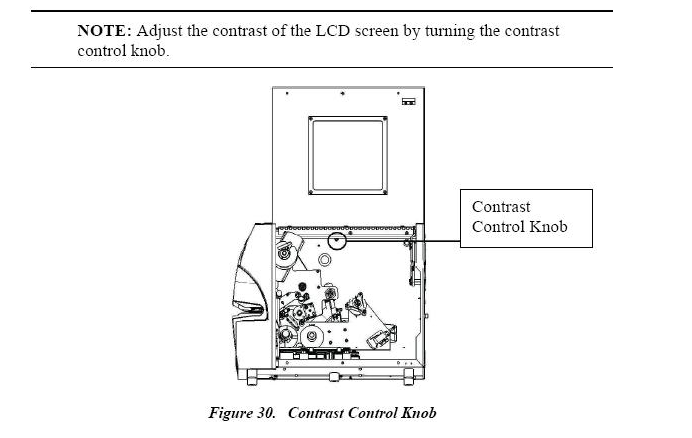
2. Adjust the LCD Display Contrast
- Make sure the Wraptor printer is turned on.
- Adjust the display contrast
- If neither of the steps above fix the problem, the WinCE or Logic boards may have failed.
The legacy Wraptor is obsolete and no longer repaired. The printer can be upgraded to the A6500: Can the original Wraptor be upgraded to the new Wraptor A6500?


