Issue
The "Warning - unknown part" error indicates the software could not establish bidirectional communication with the printer. This error message will only occur in Brady Workstation for printers that are direct print compatible: Brady Workstation - Direct Print Compatibility
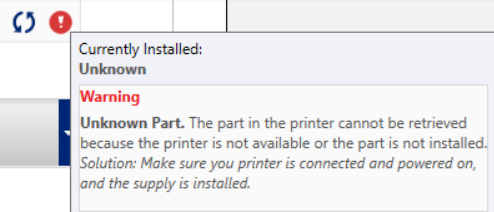
Troubleshooting
- Verify there are no error messages appearing on the printer display. The part number will not appear in Brady Workstation if the printer does not say Ready on the top right of the LCD screen.
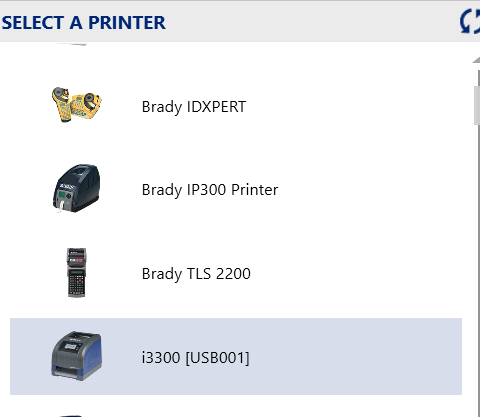
- Verify you selected the correct printer in the dropdown menu: How to Change the Label Part or Printer in Brady Workstation.
Note: If your printer is connected via USB, the printer name will include a USB port number in brackets.
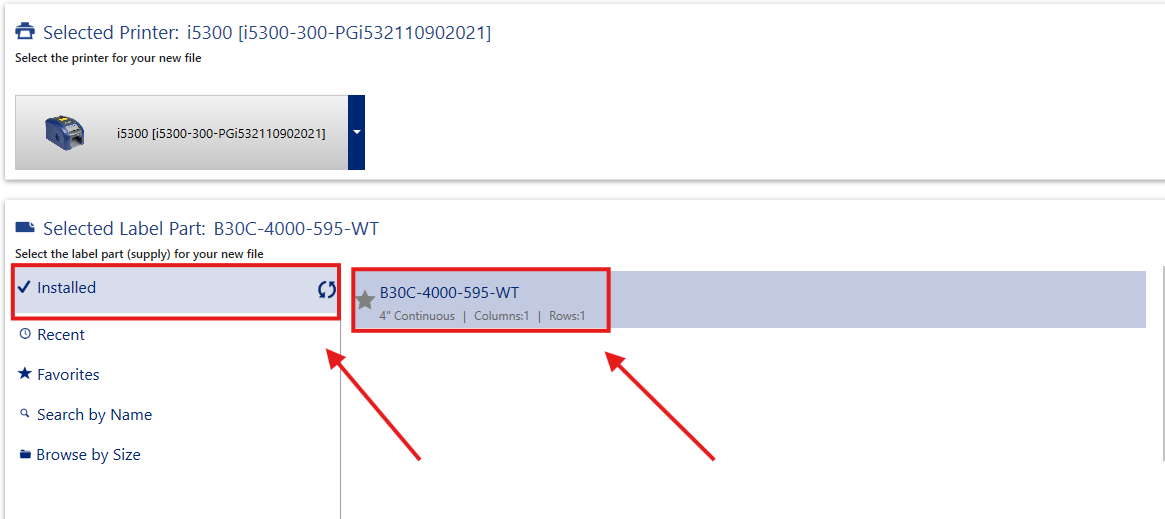
- Verify the selected label part number in Brady Workstation matches the exact part number that is listed on the sticker on the side of your label roll.
- When selecting your label part number in Brady Workstation, verify you are selecting the part number from the Installed section in the drop down menu for Select Label Part. Do not search the part by name.
- If your printer is connected to a docking station via USB, try connecting the printer directly to the computer.
- If your printer is networked, bidirectional communication uses port 9101. Make sure this port is not blocked by your firewall. If you're unsure of how to verify this, contact your IT for support.
- Try power cycling the printer by flipping it's power switch.
- Verify your computer does not have the Windows driver installed for your printer. Direct print compatible Brady printers do not need the Windows driver installed on the computer. If your computer does have the Windows driver installed, follow these directions: Windows Printer Drivers - Full Driver Removal instructions
Note: If you are unsure of how to check if your computer has your printers Windows driver installed, unplug your printer and navigate to Printers & Scanners from the control panel of your computer. Check with your IT if you are still unsure.
Still experiencing the error message? Contact Brady Technical Support for additional assistance.


