Issue
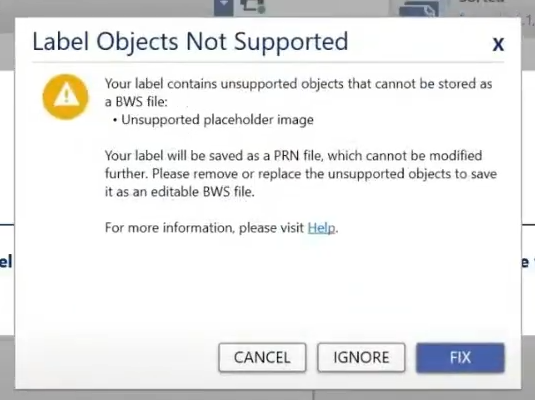
Label Objects Not Supported displays in Brady Workstation when saving a file or template to the printer.
Troubleshooting
The label file or template cannot be saved as a BWS or BWT file because of specific objects. The object that is unsupported will display in the error message on the screen.
- Tap Fix to go back to the file and correct the issue. Once the issue is correct, save the BWS or BWT file to the printer again.
- If the file is a template, only Placeholder text, Placeholder barcode and static graphics are supported. Placeholder images are not supported.
- Tap Ignore to dismiss the message and save the file as a PRN.
- If Cancel is selected, the file will not be saved.
If issues still persists, contact Global Brady Technical Support Contact Information and provide the label file and log files: Brady Workstation - Log Files.


