When a label prints there is a blank area of label material that isn't printed on either side of the text. This is known as a leading and trailing edge.
This is a fixed distance of 10mm or 0.393 inches and cannot be changed due to the mechanics of the machine. Specifically, the physical space between the printhead and the cutter blade.
Note: Labels printed in wiremarker mode only have a blank margin on one end, which can make it appear that the text is bottom justified or some setting is preventing print to that area.
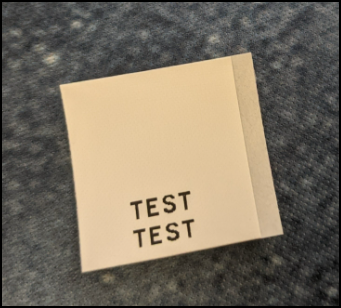
Edge to edge printing is available for the M210 and M211 printer models with pre-sized labels. If you want to print on the full label, consider pre-sized materials, Bradyid.com.
This issue is addressed in other Brady portable printer models via a "backfeed" feature. The BMP41 is the lowest cost option that includes this feature: BMP41 - General Information.
Related information


